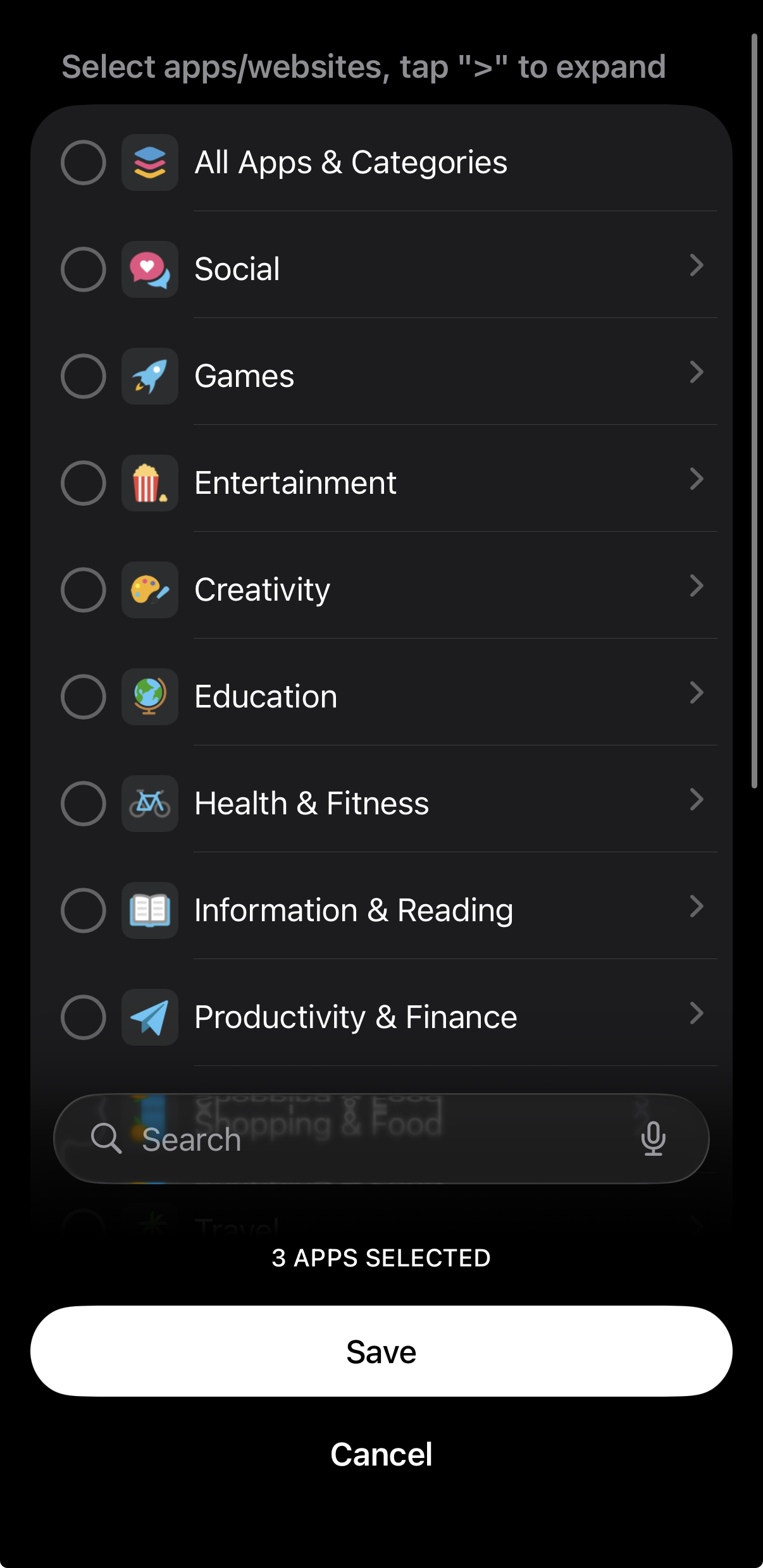
Select "Block Now" or "Create Schedule," then tap on "Apps Blocked"
Alternatively, select "Set Time Limit" or "Set Open Limit"
Make your selection
Tap "Save"
If you are unable to find an app or website in your "Choose Activities" screen that you'd like to add to a Block List or Allow List, please head here. Otherwise, although this feature usually works as intended, the Opal application may freeze or crash when you select the "Other" category or browse multiple open categories for specific apps/websites to block.
What can I do if my Block or Allow List screen is crashing on iOS?
To resolve this bug, please update to iOS 26 or later here, as the issue has been resolved by Apple on that OS version. If your device does not support that version of OS, please take the following troubleshooting steps:
Close any categories that you've left open while you are searching for apps and/or websites. If that doesn't work;
Type a single letter in the "Search" bar. If that doesn't work;
Type the name of the app or website that you'd like to block in a third-party app. Then copy and paste that word in the "Search" bar. If that doesn't work;
Force close the Opal app, then check that you have the latest OS (here) and Opal version (here), download if not. If that doesn't work;
Head to your "Profile" tab - "Settings" (accessible from the top right corner) - FAQs - Advanced Features - Click on "Reset my Screen Time." If that doesn't work:
Delete and reinstall Opal. Please note that if you opt to do this, your Session data will be deleted. Prior to deletion, ensure you have an account made by heading to your "Profile" - "Settings" (accessible from the top right corner). If you see the option to sign up, please do so. That way, you may retain your Milestones.
If following all the troubleshooting steps above does not sort out the problem, our Support Team is unfortunately unable to assist further and apologises for the inconvenience.
Thank you for your feedback!
Oops! Something went wrong while submitting the form.